
Use the Calendar Maker to choose a month, add a note, and print your own one-page calendar.
Calendar settings
Choose “Save as PDF” in the print dialog to keep a digital copy.
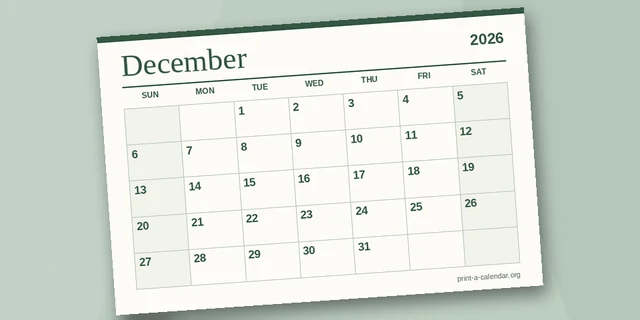
| Sun | Mon | Tue | Wed | Thu | Fri | Sat |
|---|---|---|---|---|---|---|
| 1 | 2 | 3 | 4 | 5 | ||
| 6 | 7 | 8 | 9 | 10 | 11 | 12 |
| 13 | 14 | 15 | 16 | 17 | 18 | 19 |
| 20 | 21 | 22 | 23 | 24 | 25 | 26 |
| 27 | 28 | 29 | 30 | 31 |
Featured printable calendars
How to Print with the Calendar Maker
- Choose the month and year. The preview updates with the correct number of days. Months that need a sixth row get one automatically. February also adjusts for leap years.
- Set the first day of the week. Sunday start places Saturday at the far right. Monday start keeps Saturday and Sunday together, which is handy when planning a school week or a weekend trip.
- Add a short note. Use the note field for something that applies to the whole month, such as a school break or a reminder to renew a parking permit. It prints below the date grid. You can leave it empty for more writing room.
- Print or save a PDF. Select Print calendar, then choose your printer or the PDF destination in the print dialog. Check that the preview shows one landscape page before you continue.
Which print settings work with the Calendar Maker?
Choose US Letter (8.5 × 11 inches) and landscape orientation. For A4 paper, choose A4 in the printer settings and use Fit to printable area if an edge is clipped. If the browser adds a page title, date, or web address at the margins, turn off headers and footers in the print dialog. See Mozilla’s Firefox printing guide for instructions on choosing a printer, saving a PDF, and adjusting margins.
How can I make the dates easier to read?
Choose Charcoal for a black-and-white office printer. On a color printer, Pine and Blue keep the headings distinct from the writing space. If the preview looks narrow or the dates seem too small, check that the printer is set to one page per sheet. Print a test page before making copies for a classroom or team.